Beauty Business Card Template
First impressions matter—especially in beauty and creative industries. When you hand someone a business card, you’re not just sharing contact details—you’re offering a glimpse of your style, professionalism, and attention to detail. That’s where the Beauty Business Card Template shines: a ready-to-use, elegant, horizontal design built specifically for people whose work is rooted in aesthetics, confidence, and personal connection.
What This Template Is—and Why It Works
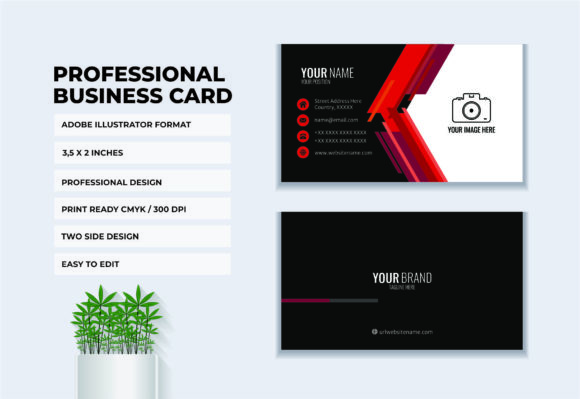
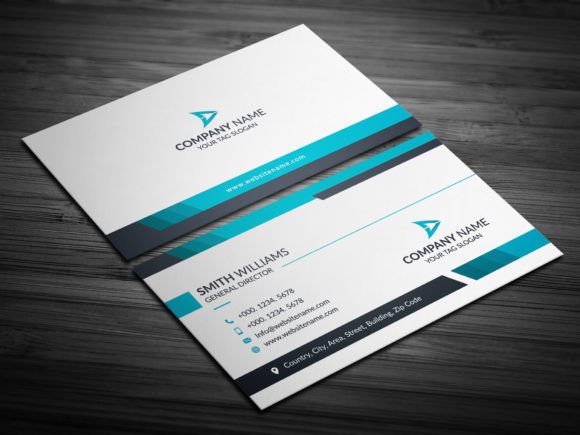
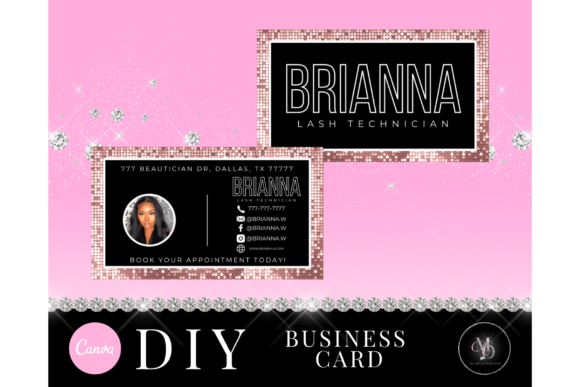
This isn’t a generic card with clipart roses or overused fonts. It’s a thoughtfully crafted, minimalist-yet-impactful layout in the standard 3.5" × 2" size—horizontal orientation for modern visual flow. Soft tones, balanced spacing, and clean typography create instant credibility. The design leaves room for your logo, name, service title (like “Bridal Makeup Artist” or “Curly Hair Specialist”), phone number, email, and social handles—without feeling crowded or clinical.
Because it’s made for Canva’s free version, there’s no need to download software, pay for premium assets, or wrestle with complicated tools. You open the link, click “Use Template,” and start editing—right in your browser, on your laptop or tablet. No design degree required.
Who Benefits Most—and How
Makeup artists meeting clients before weddings love how effortlessly this template reflects their artistry—no need to explain their vibe; the card does it. Salon owners use it to unify branding across front-desk handouts, booking cards, and referral packets. Hairdressers tuck one into every blowout bag. Photographers include it with digital galleries as a subtle but memorable signature. Even estheticians, lash technicians, and freelance stylists find it refreshingly simple to adapt.
It’s also ideal for side-hustlers testing the waters: someone launching weekend brow-shaping sessions or offering glow-up packages can look polished from day one—not like they’re “just getting started.” That perception shift matters when clients are choosing between you and someone with five years’ experience.
Edit Your Way—Without Limits
You’re not locked into preset colors or fixed text boxes. With full editing access in Canva’s free plan, you can:
- Swap fonts to match your brand voice—playful script for a fun-loving nail artist, sleek sans-serif for a high-end skincare consultant;
- Adjust colors using the eyedropper tool or hex codes—try matching your Instagram palette or salon wall paint;
- Drag, drop, and resize any element: move your logo higher, shrink the tagline, or widen the margin around your name;
- Add your own photo (like a headshot or signature product shot) if the layout allows—or keep it clean and type-focused;
- Insert icons (phone, email, location) from Canva’s free library to improve scannability.
A step-by-step video tutorial walks you through each action—no skipping ahead, no confusion. It shows exactly where to click, how to save versions, and what to watch for when exporting.
Real-World Use Cases You’ll Recognize
Imagine handing out cards after a pop-up event at a local boutique. Your card stands out because it feels intentional—not mass-produced, but not DIY-craft-store either. Or picture emailing a PDF proof to a client before their first appointment: they open it and think, “This person takes their work seriously.”
One bridal makeup artist told us she printed 100 cards on matte white stock and added them to her consultation kits. Within two months, three brides asked, “Where did you get these? They’re so *you*.” That kind of organic word-of-mouth starts with consistency—and this template helps lock that in fast.
Smart Printing Tips—So Your Cards Look Like They Should
The template works seamlessly with professional print services like Prints of Love and VistaPrint (links included in your download). Just export your final design as a PDF (select “High Quality Print”) and upload. For best results:
- Use white cardstock—it ensures color accuracy and gives a luxe tactile feel;
- Choose matte or soft-touch finish to complement beauty branding (gloss can feel too corporate);
- Double-check margins in Canva’s print preview—make sure no key info falls near the edge;
- Order a single test print first. Colors may vary slightly across screens and printers, and seeing it in hand helps you fine-tune contrast or font weight.
Don’t stress over perfection. A well-edited Beauty Business Card Template—even with modest tweaks—still reads as intentional, skilled, and client-centered.
Before You Begin: A Few Practical Notes
You don’t need Canva Pro. Everything mentioned—the editing, exporting, tutorials, and customization—is fully supported on the free plan. That means zero subscription pressure and total flexibility to experiment.
Also, while the template is designed to be versatile, take a moment to consider your audience. If you serve mostly Gen Z clients, bolder color shifts or icon choices might resonate more. If your clientele leans traditional (think spa retreats or luxury salons), softer palettes and classic fonts often land better.
And remember: your card doesn’t have to do everything. Its job is to make follow-up easy and reinforce who you are. Let your portfolio, reviews, and service quality do the rest.
When done right, a business card becomes more than paper—it becomes a quiet extension of your craft. With the Beauty Business Card Template, that quiet confidence starts with one click, one edit, and one beautifully printed impression.